Skip to content
PriceCalc Pro
  • DEEN
  • ← Home

Home › Guide

Markup vs. Margin: Calculate Your Profit Correctly

Guide · approx. 3 min read

"I have a 50% markup" — but is that the margin? Markup and margin are not the same. Confuse them and you'll misprice. Here's the difference in one minute.
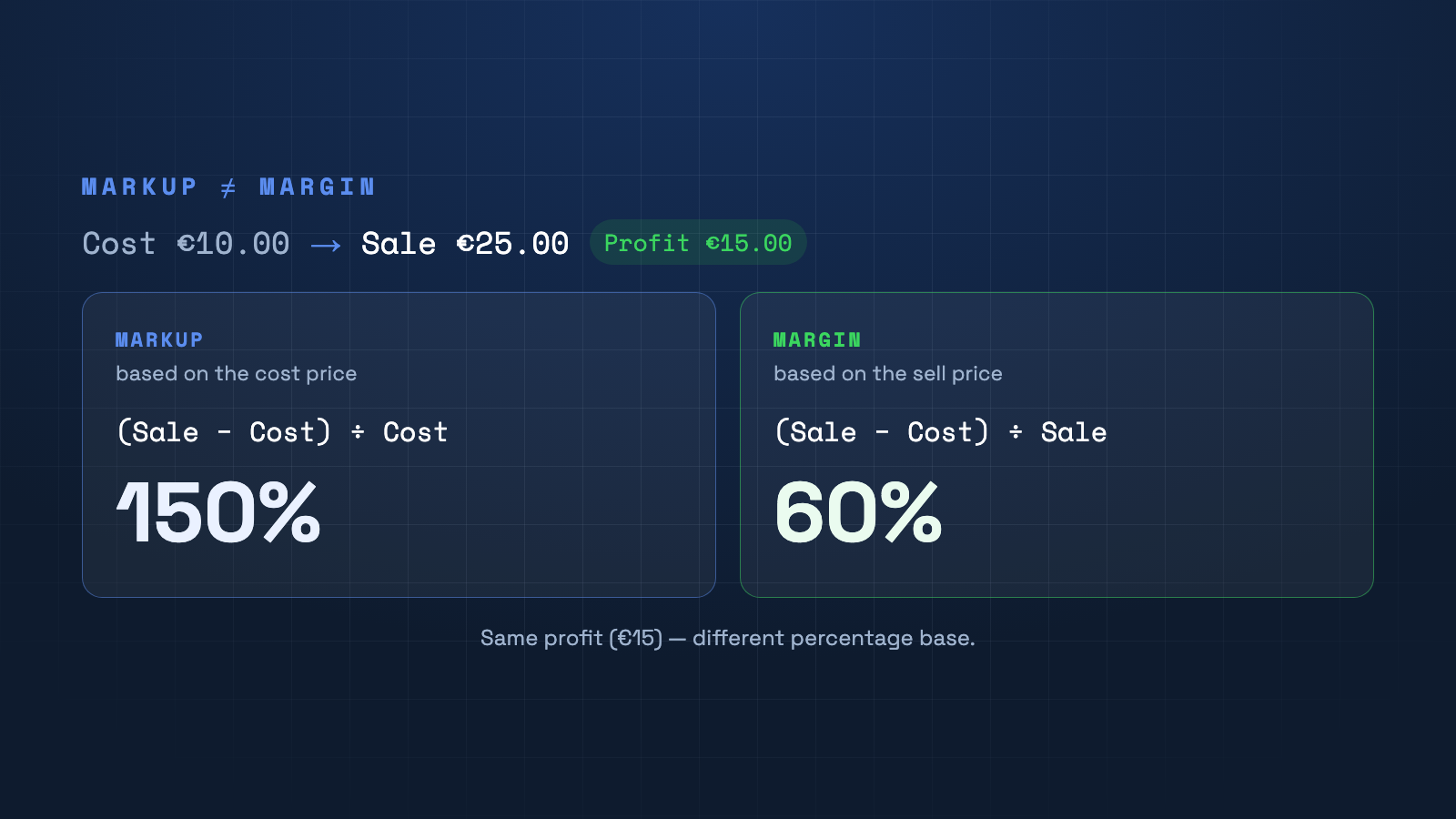
Markup (based on the cost price) is 150%, margin (based on the sell price) is 60% — for the same profit.

The key difference

Both measure your profit — but on a different base. Markup relates the profit to the cost price; margin relates it to the sell price. The same euro profit yields two very different percentages.

The formulas

Markup = (sell price − cost price) ÷ cost price
Margin = (sell price − cost price) ÷ sell price

Example: cost €10, sale €25, profit €15. Markup = 15 ÷ 10 = 150%. Margin = 15 ÷ 25 = 60%.

Why it matters

If you calculate with "50% margin" but actually mean 50% markup, your sell price is too low. For profitability, margin is what counts — it tells you how much of every euro sold remains as gross profit.

Keep your margin in view

In PriceCalc Pro's extended calculation you see net, gross and margin figures per product — so you never sell below value.

See PriceCalc Pro →

Frequently asked questions

What is the difference between margin and markup?
Markup relates profit to the cost price, margin relates it to the sell price. Same profit, different percentage base.
How do I convert markup to margin?
Margin = markup ÷ (1 + markup). Example: 150% markup → 1.5 ÷ 2.5 = 60% margin.
Which figure should I use?
Use margin for profitability. Markup is handy for quickly deriving the sell price.

All guides

  • Retail pricing
  • Calculation factor
  • Markup vs. margin
  • VAT in your online shop
  • Price rounding
  • Cash discount & rebates
  • Cost prices in Shopify
  • Bulk prices via Excel
  • Adjust prices on cost rise
  • Backup before price changes
© 2026 JRMedia · Janine Fabienne Eicker Home · Retail pricing · Legal notice